
Graphic design is changing quickly as artificial intelligence becomes part of everyday creative workflows. Designers can now use simple written prompts to explore visual ideas, create graphics, and develop different design directions much faster than before.
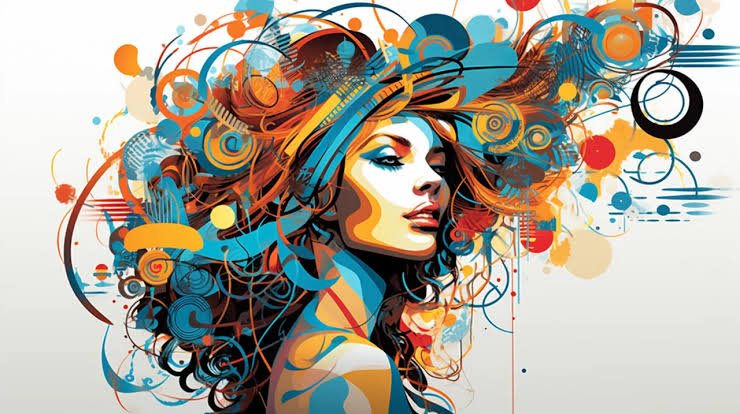
One of the most interesting developments is AI Vector Design. Unlike traditional AI image generation, modern text-to-vector tools can create editable vector artwork from written instructions. This means designers can work with paths, shapes, nodes, colors, and other elements instead of receiving only a flat image.
In September 2026, CorelDRAW introduced a new Text-to-vector AI feature that can generate scalable and editable vector graphics from text prompts or reference content. The company says the generated artwork can be refined and customized inside the design workflow.
What Is AI Vector Design?
AI Vector Design combines generative artificial intelligence with traditional vector graphics. A designer can describe an idea in words, and the AI system can turn that description into vector artwork.
For example, a designer could describe a simple mountain logo, a modern technology icon, or a decorative pattern. Instead of manually drawing every element from the beginning, an AI vector tool can provide an editable starting point.
This is different from generating an ordinary raster image. Vector graphics are built from paths and shapes, allowing designers to resize and modify them without losing their basic scalability.
Adobe Illustrator already provides Text to Vector Graphic and other generative vector features, while CorelDRAW expanded its own vector-generation capabilities in its September 2026 update.
1. Faster Ideas From Simple Prompts
One major advantage of AI Vector Design is the ability to move from an idea to a visual concept quickly.
Starting with a blank canvas can sometimes be difficult. A designer may know what they want but struggle to find the right visual direction. Text-to-vector tools can provide several starting points that can then be reviewed and changed.
CorelDRAW describes its new feature as a way to help designers develop concepts, explore variations, and move beyond the blank page.
For example, instead of spending a long time drawing an initial icon, a designer can enter a clear prompt and examine the generated result. The designer can then decide which parts are useful and which need improvement.
Therefore, AI becomes a starting assistant rather than the entire creative process.
2. Editable Graphics Instead of Flat Images
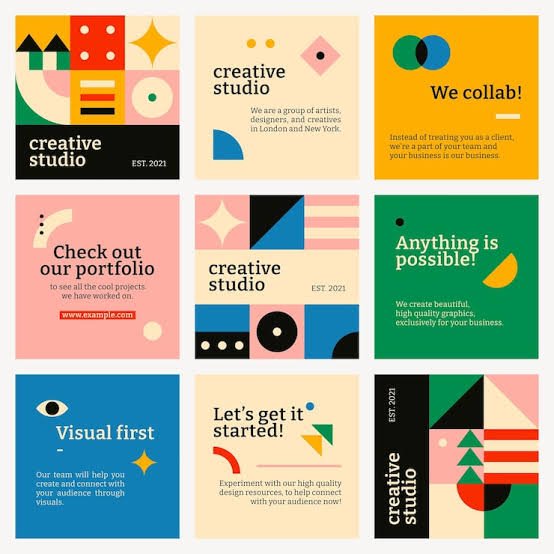
Another important change in AI Vector Design is editability.
Traditional AI image generators usually produce a finished raster image. Although the image can be edited in different ways, individual elements may not be as easy to manipulate as vector objects.
Text-to-vector systems work differently. CorelDRAW says its generated artwork contains paths, shapes, nodes, and fills that can be selected and modified individually.
This gives designers more control.
A designer could change a color, move an object, resize a shape, adjust a curve, or remove an unwanted element. The generated design can therefore become part of a normal professional editing workflow.
3. More Design Variations in Less Time
Creating several design variations manually can take considerable time. AI Vector Design can make this exploration much faster.
Suppose a client wants five different versions of an icon. A designer can use a basic concept and generate alternative styles, layouts, colors, or levels of detail.
CorelDRAW’s September update allows designers to use prompts or existing artwork as a starting point for generating new vector directions. Its documentation also describes three models designed for different types of vector work.
This can be particularly useful during brainstorming.
Instead of spending most of the time producing basic alternatives, designers can spend more time evaluating which concept actually fits the project.
4. Better Logo and Branding Workflows
Branding is another area where AI Vector Design can become useful.
Logos, badges, icons, and brand graphics often need to work across different sizes and formats. A small logo may appear on a website, business card, package, sign, or large advertisement.
Because vector artwork is scalable, it is well suited to these situations.
AI-generated vector concepts can help designers explore logo directions and supporting brand assets. CorelDRAW specifically describes applications such as creating matching icons, patterns, and badges after developing a central concept.
However, professional branding still requires human judgment. A generated logo may contain unnecessary details, weak proportions, or visual similarities that need to be reviewed.
The designer remains responsible for checking the final result.
5. Creating Matching Design Assets
Consistency is important when building a visual identity. A website, application, or brand may require many related icons and graphics.
This is where AI Vector Design can help create supporting assets more efficiently.
Once a designer has established a visual direction, AI tools can help explore matching icons, patterns, illustrations, and decorative elements. CorelDRAW explains that its Text-to-vector feature can use an existing image or object as reference content to guide new results.
This can reduce repetitive work.
For example, a designer creating a technology website may need a collection of related icons. Instead of designing every icon completely from scratch, AI can help generate initial versions that the designer can then refine.
The final collection can be adjusted so that stroke widths, colors, proportions, and visual style remain consistent.
6. Turning Existing Artwork Into New Ideas
Modern AI Vector Design tools are not limited to written prompts.
Reference artwork can also become part of the process. CorelDRAW’s new workflow allows designers to provide existing content as a reference for generating vector artwork.
This creates another useful workflow.
A designer might have an old illustration that needs a fresh direction. Instead of starting from zero, the existing artwork can help guide new variations.
This could be useful for redesign projects, campaign graphics, packaging concepts, and visual experiments.
Still, reference-based generation should be handled carefully. Designers need to consider ownership, licensing, originality, and whether they have permission to use particular source artwork.
7. Faster Production for Professional Projects
The biggest practical effect of AI Vector Design may be the reduction of repetitive production work.
Designers often spend significant time preparing files, tracing images, creating variations, adjusting shapes, and making small changes requested by clients.
AI can assist with some of these steps.
CorelDRAW’s September 2026 update also introduced an enhanced PowerTRACE workflow for bitmap-to-vector conversion. Corel says the updated system provides improved object structure, better color handling, AI-powered background removal, and tracing performance of up to four times faster.
This means the broader workflow is becoming more automated.
Instead of replacing the designer, these tools can reduce repetitive tasks and leave more time for creative decisions.
How Designers Can Use AI Effectively
AI Vector Design works best when designers provide clear instructions and then carefully review the results.
A good prompt should describe the subject, style, purpose, and important visual characteristics. CorelDRAW’s own guidance notes that prompt clarity directly influences the quality and usefulness of generated results.
For example, a vague prompt such as “modern icon” may produce an unpredictable result.
A more detailed instruction could describe the object, visual style, simplicity, intended use, and color direction.
After generation, the designer should inspect the artwork carefully. Some elements may need to be removed, reshaped, recolored, or completely redrawn.
This human editing stage remains important.
Will AI Replace Graphic Designers?
The growth of AI Vector Design has naturally raised questions about the future role of designers.
However, AI tools are currently being positioned primarily as creative assistants. CorelDRAW explicitly says its AI features are designed to support creativity rather than replace artists.
A generated vector does not automatically understand a client’s complete business strategy, audience, brand personality, production requirements, or communication goals.
Those decisions still require human judgment.
AI can produce many possibilities, but designers decide which possibilities are useful. They also determine how a design should communicate a message and whether it meets professional requirements.
Challenges of AI Vector Design
Despite its advantages, AI Vector Design also has limitations.
Generated graphics may contain unwanted details, inconsistent shapes, awkward curves, or elements that do not match the original idea. Designers may still need to spend time cleaning and refining the result.
Another issue is originality. When AI is used with reference images or existing artwork, designers should carefully consider intellectual-property rights and project requirements.
There can also be a learning curve. Designers need to understand how to write effective prompts and how to edit AI-generated vectors properly.
Therefore, AI should not be viewed as a magic button that produces a perfect final design every time.
The Future of AI Vector Design
The future of AI Vector Design will likely involve closer cooperation between designers and intelligent design tools.
Current systems can already generate editable vector graphics from prompts and reference material. Future tools may become better at understanding layout, brand systems, production requirements, and detailed creative instructions.
Design software could eventually allow designers to describe an entire visual system and then generate coordinated assets automatically.
For example, a designer might create a logo and ask the software to develop matching icons, patterns, illustrations, social media graphics, and packaging elements.
This could make large design projects more efficient while still allowing humans to control the final creative direction.
Conclusion
AI Vector Design is changing the way designers approach ideas, variations, branding, and production. The arrival of new text-to-vector tools in 2026 shows that AI is moving beyond simple image generation and deeper into editable professional design workflows.
Instead of receiving only a flat picture, designers can now work with vector paths, shapes, nodes, and colors that can be modified inside familiar design software.
The technology can save time, encourage experimentation, and reduce repetitive work. At the same time, human creativity remains important for deciding what should be created, why it should be created, and how it should communicate with an audience.
As these tools continue to develop, AI Vector Design is likely to become an increasingly common part of modern graphic design workflows. The most useful future may not be AI designing completely alone, but designers using AI to explore more ideas, work faster, and spend more time on the creative decisions that matter most.